
Your first few customers are easy to support.
You answer WhatsApp messages on the go. You jump on quick calls. You fix things personally because you know every client by name.
Then the business grows.
Suddenly you have dozens (or hundreds) of customers asking:
- “What’s the status of my order/project?”
- “Where do I find that document again?”
- “How do I use this feature?”
Support starts to feel like a never‑ending stream of interruptions. You hire someone to help, but they keep asking you how to respond. Clients get inconsistent answers. Simple questions still come straight to you.
The real problem isn’t your customers. It’s that you don’t yet have a support system—just support behavior.
In 2026, small businesses that win on loyalty and retention will be the ones that build clear, AI‑assisted customer support systems: simple structures where questions go to the right place, answers are consistent, and humans focus on judgment instead of typing the same thing for the 500th time.
What a “Support System” Actually Means for a Small Business
You don’t need a call center or enterprise helpdesk to have a real support system. At minimum, it means:
- One main way customers contact you for help
- Clear categories for the types of requests you get
- Standard answers and steps for the common issues
- A simple way to track what’s open, what’s done, and what’s stuck
AI doesn’t replace support—it augments it. It can:
- Draft responses based on your knowledge base
- Summarize long threads into “what’s the issue + what we’ve tried”
- Help you turn repeated questions into articles and checklists
The goal is not a chatbot that annoys people. The goal is a human‑centered system where AI quietly does the repetitive text work and organizes information, so your team can think and solve.
Step 1: Choose a Primary Support Channel (and Stick to It)
Scattered support is exhausting. One client messages on WhatsApp, another emails, a third DMs on Instagram, a fourth pings someone on their personal number.
Start by declaring a primary channel for support, such as:
- A dedicated support email address
- A simple ticket form on your website
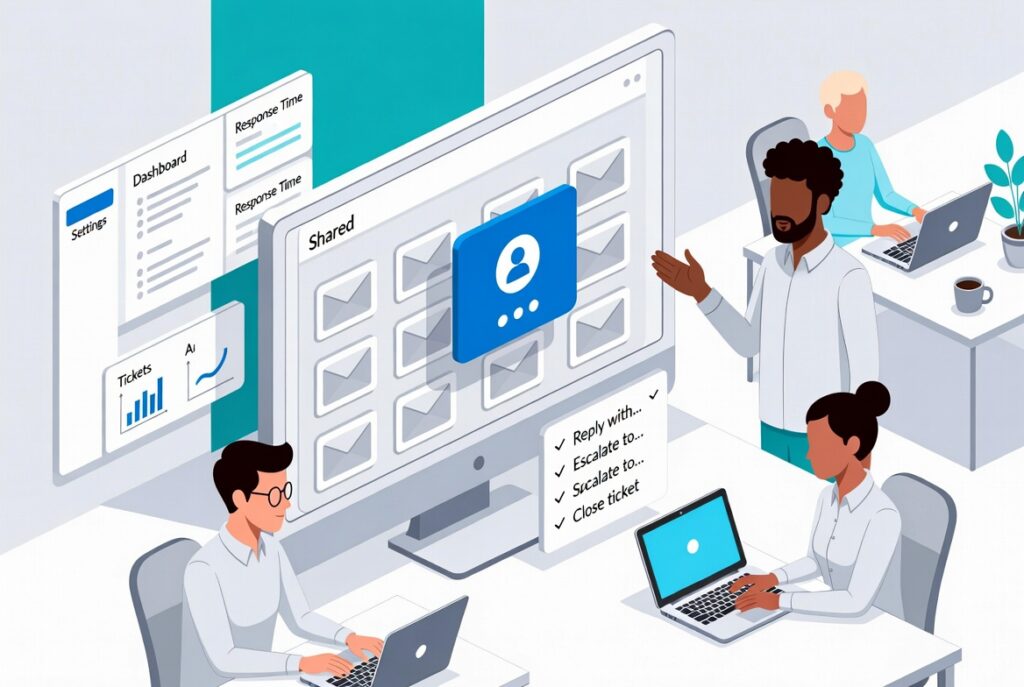
- A shared inbox or helpdesk (even a basic one)
You can still be flexible, but your message everywhere should be:
“For the fastest, most reliable help, please use this channel.”
Internally, that means:
- Requests from other channels get logged into the main system
- Everyone knows where to look before saying “I didn’t see that”
This alone reduces chaos more than any AI feature ever will.
Step 2: Categorize the Support You Already Give
Before you automate anything, you need to see patterns.
Look at the last 30–50 support interactions and group them by type:
- “How do I…?” usage questions
- “Where is…?” access or account issues
- “Something is broken” technical or service issues
- “I want to change/cancel/upgrade” account changes
- “General feedback” praise, complaints, suggestions
AI can speed this up by:
- Scanning email threads or chat logs and suggesting categories
- Highlighting the most frequently mentioned topics
Once you see the patterns, you can start designing standard ways of handling each category.
Step 3: Turn Repeated Answers Into a Living Knowledge Base
If you keep answering the same question more than a few times, you shouldn’t be answering it from scratch at all.
Create a simple knowledge base with:
- Short “how‑to” articles for common tasks
- Step‑by‑step guides for tricky processes
- Policy explanations (refunds, changes, timelines)
You don’t need a fancy portal to start. Notion, Google Docs, or a basic help center tool will work.
AI helps you build this much faster by:
- Turning your best email replies into formal help articles
- Summarizing call notes into client‑friendly instructions
- Rewriting technical explanations in plain language
Internally, your team uses this as a reference. Externally, you can publish parts of it so customers can self‑serve for the simple stuff.
Step 4: Use AI as a Support Assistant, Not a Gatekeeper
Most customers hate being stuck in a chatbot that can’t actually solve their issue.
So instead of trying to hide humans behind AI, flip the model:
- Let humans remain the visible point of contact
- Let AI draft, suggest, and organize behind the scenes
For example, your support agents (or you) can use AI to:
- Generate first‑draft responses based on your knowledge base
- Translate complex or technical instructions into simpler versions
- Summarize long history for a returning issue (“Here’s what’s happened so far”)
- Suggest follow‑up steps or additional checks
This keeps the human warmth and judgment, while AI takes care of repetitive typing and information hunting.
Step 5: Add a Simple Support Dashboard and Feedback Loop
To grow, you need to see how support is performing.
You don’t need a huge dataset. Start with a few simple metrics:
- How many tickets or requests did we get this week?
- What were they mostly about?
- How fast did we respond on average?
- How many required more than one back‑and‑forth?
- How many turned into escalations or serious issues?
AI can turn basic exports into:
- Short weekly summaries of support load and trends
- Lists of topics that need better documentation or fixes
- Suggestions for improvements in your process or product
Suddenly support isn’t just “a cost” or “a headache.” It becomes a source of structured insight about what’s breaking, what’s confusing, and what clients actually care about.
Step 6: Document the Support System So You Can Hand It Off
The real test of a support system is simple: can someone new join your team and understand how to handle the majority of issues without constant hand‑holding?
That means having:
- Clear SOPs for key support flows (new ticket, escalation, closure)
- Checklists for common scenarios (onboarding problems, billing questions, access issues)
- Guidelines for tone, boundaries, and what “good support” looks like in your brand
AI can take your rough descriptions and:
- Turn them into properly formatted SOPs and checklists
- Generate example replies in your tone for training
- Summarize a week or month of support into learnings for the team
Now your support isn’t just “that thing we all do randomly.” It’s a documented, improvable system.
Where a Systems Toolkit Makes Support Much Easier to Build
Everything above is doable with general AI tools. But most small businesses get stuck on the “how exactly do I design this?” questions:
- What should my categories and workflows look like for my type of business?
- How do I structure SOPs, knowledge base articles, and dashboards so they’re actually used?
- Which AI prompts give me usable drafts instead of generic fluff?
- How do I connect support to the rest of my systems—sales, onboarding, operations?
This is where a focused, system‑oriented toolkit saves you months of guesswork and failed experiments.
Build an AI‑Assisted Support System With AI‑Ready Business Systems Toolkit 2025
The AI‑Ready Business Systems Toolkit 2025 from Analytics Need is designed to help small businesses turn messy, reactive workflows—like customer support—into clear, AI‑supported systems.
For customer support specifically, the toolkit helps you:
- Map your current support reality
- Guided exercises to capture where requests come from, who responds, and what often goes wrong
- Templates for defining support categories and basic SLAs that fit your size and capacity
- Design core support workflows
- From “new request” to “resolved” with clear steps, roles, and escalation paths
- Special flows for onboarding issues, billing questions, and technical problems
- Create your knowledge base and macros with AI
- Prompt libraries to turn existing email replies into structured help articles
- AI‑generated response templates in your own voice for common scenarios
- Checklists and SOPs for support tasks that your team can follow consistently
- Build a simple support dashboard
- Layouts for tracking ticket volume, response time, topics, and trends
- Prompts that transform exported data into plain‑language weekly support summaries
- Connect support to the rest of your business systems
- Guidance on feeding support insights into product improvements, onboarding, and FAQs
- Ways to align support rhythms with your weekly operating system and management reviews
Instead of building your support system from scratch and guessing how to use AI, you step into a structure that’s already designed for small organizations—and customize it to your reality.
If you want 2026 to be the year your customers feel truly supported without you personally handling every message, the AI‑Ready Business Systems Toolkit 2025 gives you the frameworks, templates, and AI prompts to build that support system with clarity, speed, and confidence.