
If you’ve ever searched something like:
- “How do I organize my small business operations?”
- “My business is chaotic… where do I start?”
- “How to streamline small business processes with AI?”
…you’re exactly the kind of owner this article is for.
Your days are full. You’re answering client messages, fixing problems, jumping between tools, and trying to remember who asked for what.
But when you zoom out, a scary thought pops up:
“If I stopped pushing everything forward myself, would this business actually run?”
That’s an operations problem—not a motivation problem.
The good news: in 2026, you don’t have to choose between burning out or hiring an expensive operations consultant. You can use AI and some simple system‑design principles to organize your small business operations step by step.
And if you don’t want to design everything alone, you can lean on something built exactly for this: the AI‑Ready Business Systems Toolkit 2025 from Analytics Need, which we’ll reference throughout this guide and explain in detail at the end.
Why Your Small Business Operations Feel So Disorganized
Most owners who Google “how to organize my small business” are dealing with some mix of:
- Everything lives in your head – clients, promises, deadlines, processes
- Too many tools – email, WhatsApp, sheets, Trello, invoices… nothing joined up
- No standard way of doing things – every client or task is a one‑off
- Zero visibility – you can’t see, in one place, what’s happening across the business
So you try to fix it by working harder—staying later, pushing more, checking everything personally. But harder work on top of broken systems just creates a bigger mess.
Organizing operations means changing the structure under the business. That starts with seeing the structure clearly. This is where AI—and especially a structured resource like the AI‑Ready Business Systems Toolkit 2025—becomes so valuable: it helps you map and redesign your operations fast, instead of spending months staring at spreadsheets.
Step 1: Do a Quick Brain‑Dump of Your Operations
Before you can organize anything, you need to see what exists.
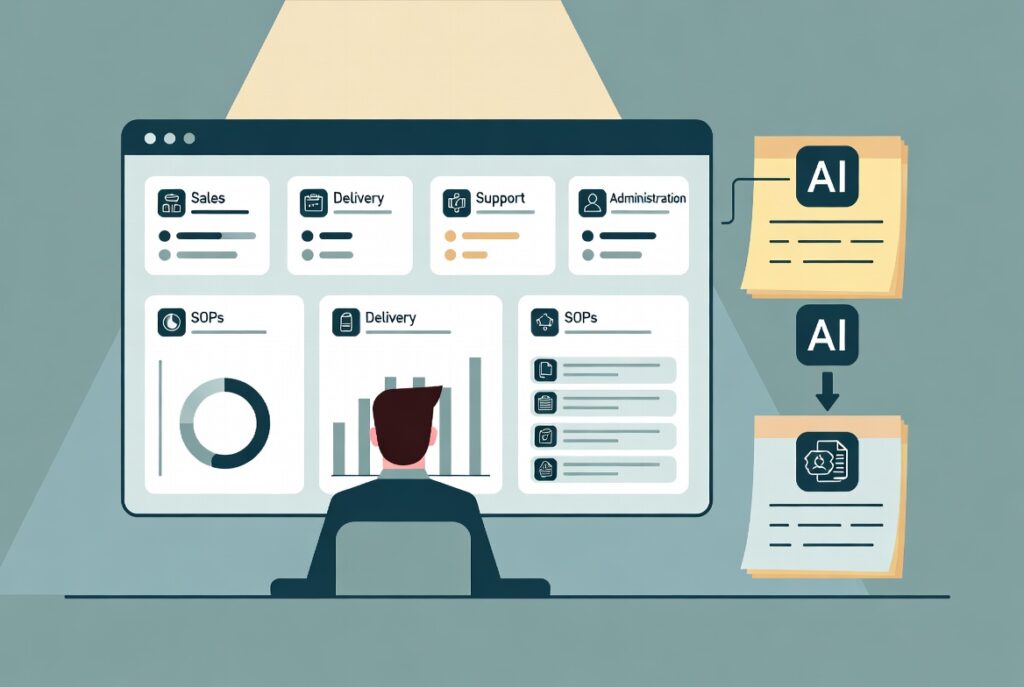
Take 20–30 minutes and list the main areas of your operations. For most small businesses, they fall into 4 buckets:
- Sales & Marketing – leads, outreach, proposals
- Delivery / Operations – how you deliver your product or service
- Support & Client Management – questions, issues, status updates
- Admin & Finance – invoices, payments, expenses, HR basics
Under each, jot down:
- Recurring tasks you (and your team, if any) do
- Things that always feel messy or delayed
- Places where “only you know how” it works
Even if it’s ugly, this first dump gives you raw data. In the AI‑Ready Business Systems Toolkit 2025, there are operations mapping templates built for exactly this step—so instead of a random list, you plug directly into a structure that organizes your tasks by area, frequency, and pain level.
Step 2: Choose ONE Critical Workflow to Fix First
Many owners try to “fix operations” by attacking everything. That’s how you get overwhelmed and quit.
Instead, pick one workflow that:
- Happens often
- Creates stress when it goes wrong
- Touches customers or money
Examples:
- New client onboarding
- Handling incoming leads and inquiries
- Delivering your core service or product
- Sending invoices and tracking payments
On a page, write out the real‑life steps of that workflow as they are today. For example:
- Client says “yes” in email
- I send a welcome email manually
- I ask for details in a separate message
- I forget to check if they replied…
This is your “current state.”
The Toolkit provides step‑by‑step workflow canvases where you can paste these bullets and then use its AI prompts to instantly turn them into a clean, numbered process—much easier to see and fix.
Step 3: Redesign That Workflow for Clarity (With AI’s Help)
Now ask a few powerful questions about that one workflow:
- Where do delays usually happen?
- Where do mistakes or rework show up?
- Where do we rely on memory instead of a checklist?
- Where could AI or a template do the heavy writing or admin?
Then design a “clean” version of the process:
- Trigger → what starts it?
- Steps → what happens, in order?
- Owner → who is responsible for each step?
- Outputs → what’s the final result of this workflow?
You can feed your messy notes + answers into an AI tool and say:
“Turn this into an improved workflow with clear steps, owners, and simple language.”
The AI‑Ready Business Systems Toolkit 2025 includes pre‑written prompts for exactly this kind of redesign, so your output isn’t generic fluff—it’s structured, operations‑ready content you can immediately turn into SOPs and checklists.
Step 4: Turn the New Workflow Into SOPs, Checklists, and Templates
Organized operations are built on reusable assets:
- SOPs (Standard Operating Procedures) – full step‑by‑step guides
- Checklists – quick versions people actually use daily
- Templates – emails, messages, forms, and docs used in that workflow
For your chosen workflow (e.g., client onboarding), you might need:
- “Client Onboarding – Internal SOP”
- “Client Onboarding – Checklist for VA / admin”
- Welcome email template
- Info‑collection form or questionnaire
- Kickoff call agenda + summary email template
Writing all of that manually could take days. With AI:
- You paste your clean workflow into a prompt
- Ask for an SOP + short checklist + draft email templates
- Edit for tone and details
The Toolkit’s operations documentation prompts are designed so you don’t have to invent these prompts yourself; they already know how to ask AI for:
- Process docs
- Role‑specific checklists
- Client‑facing communication
Now your workflow isn’t just “better in theory”—it’s actually documented and ready to use.
Step 5: Create a Simple “Operations Hub” So Everything Has a Home
One big reason operations feel disorganized is that information is scattered.
Fix that by creating a single Operations Hub in a tool like Notion, Google Drive, or similar. At minimum, it should have sections for:
- Sales & lead workflows
- Onboarding & delivery workflows
- Support & communication workflows
- Admin & finance workflows
Inside each, store:
- SOPs and checklists
- Templates
- Links to related dashboards or boards (CRM, project tool, etc.)
The AI‑Ready Business Systems Toolkit 2025 includes pre‑designed hub layouts you can drop into Notion or adapt to your own system, so your new processes and templates aren’t lost in random folders—they’re part of a visible, navigable operations “brain” for your business.
Step 6: Add a Weekly Operations Review (With AI Summaries)
Organizing operations isn’t a one‑time clean‑up; it’s an ongoing habit.
Once a week (or at least once every two weeks), spend 30–45 minutes looking at operations:
- What went smoothly?
- What broke or felt stressful?
- Which workflows created bottlenecks?
- Which templates or SOPs need updating?
Pull a few simple numbers:
- Leads, deals, and delivery load
- Average response or turnaround times
- Any missed deadlines or complaints
Paste those numbers and notes into AI and ask for:
- A short summary of operations performance this week
- Top 3 issues to address
- Suggestions for system improvements
The Toolkit comes with weekly review templates + AI prompts so this becomes a repeatable system, not something you only do when everything is on fire.
Step 7: Turn Organization Into a 90‑Day Systems Plan
By now, you’ve:
- Listed your operations areas
- Mapped and redesigned one key workflow
- Created basic SOPs, checklists, and templates
- Set up a simple operations hub
Don’t stop there. Choose 2–3 more workflows to tackle over the next 90 days using the same pattern. For example:
- Lead intake & follow‑up
- Project delivery steps
- Customer support handling
Turn each into a mini “systems project” with:
- Clear deliverables (SOPs, templates, automations)
- Owner and timeline
- Metric to track (e.g., time saved, errors reduced)
The AI‑Ready Business Systems Toolkit 2025 provides ready‑to‑use project recipes for exactly these kinds of improvements, so you’re not inventing the structure each time—you’re following a proven pattern, with AI doing a lot of the heavy documentation and writing work.
How AI‑Ready Business Systems Toolkit 2025 Helps You Organize Operations Faster
You can do all of this with a blank page and generic AI—but that’s where most owners get stuck: they don’t know what to map, how to structure it, or how to talk to AI in a way that produces usable systems instead of random text.
The AI‑Ready Business Systems Toolkit 2025 from Analytics Need was created specifically to solve that problem for small businesses and lean teams.
It combines real‑world operations and process experience with AI to give you:
- Operations mapping frameworks
- Guided templates for listing and organizing all your core workflows (sales, delivery, support, admin)
- Prioritization guides so you know which ones to fix first
- Workflow redesign tools
- Canvases for defining triggers, steps, owners, and outputs
- AI prompts that turn your messy notes into clean, improved process designs
- Documentation & template generators
- Prompt libraries that turn workflows into SOPs, checklists, and knowledge‑base pages
- Generators for client emails, onboarding sequences, status updates, and internal scripts
- Operations Hub layouts
- Pre‑designed structures for a central “operations home” in tools like Notion
- Linked boards for leads, delivery, support, and admin work
- Dashboards & review rhythms
- Simple dashboards for tracking work and key metrics across your operations
- Weekly and monthly review templates + AI prompts to turn data into short, usable summaries
- 90‑day systems project recipes
- Step‑by‑step mini‑projects for organizing client onboarding, lead handling, support, reporting, and more
- Each with suggested metrics so you can see the impact of your improvements
Instead of “trying to be more organized” and falling back into old habits, you get a practical, AI‑assisted way to build an operations layer under your business—one workflow at a time. The result is a company that feels calmer, more professional, and far less dependent on you remembering everything.
If your searches have been some version of “how do I organize my small business?” or “how do I use AI to fix my messy operations?”, the AI‑Ready Business Systems Toolkit 2025 is designed to be that missing bridge between frustration and a working, organized system.