
You’ve probably typed something like this into Google recently:
- “How do I automate my small business?”
- “Best AI tools to save time in my business”
- “How to automate repetitive tasks without coding”
If you’re a small business owner, you’re not alone. You’re juggling sales, delivery, support, and admin—and every day feels full, but not necessarily productive.
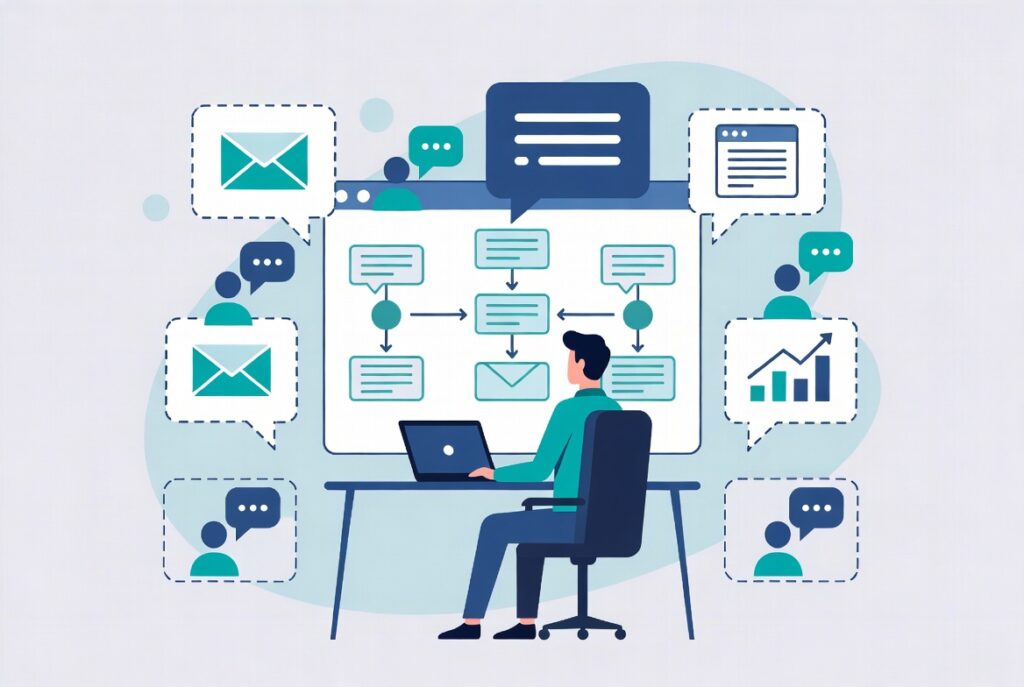
The good news: you can automate a lot of your small business tasks with AI in 2025–2026—without hiring developers or buying enterprise software. The real challenge is knowing what to automate, where to start, and how to connect everything into a system that doesn’t break.
This guide will walk you through exactly that. Along the way, you’ll see how the AI‑Ready Business Systems Toolkit 2025 from Analytics Need gives you practical frameworks and AI prompts to move faster at every step, instead of figuring it all out from scratch.
Why Small Business Automation With AI Feels Confusing
Most owners search for “small business automation with AI” and are hit with:
- Endless lists of tools
- Technical tutorials about APIs and webhooks
- Generic advice that doesn’t match how a real, messy business runs
Your real problems sound more like this:
- “I keep rewriting the same emails.”
- “Leads slip through the cracks because I forget to follow up.”
- “Invoicing and chasing payments eats half a day every week.”
- “All our data lives in different places; I don’t have time to make sense of it.”
That’s why the right question is not “Which AI tool is best?” but:
“Which repetitive workflows are slowing us down, and how can AI help us redesign and automate them step by step?”
The AI‑Ready Business Systems Toolkit 2025 is built exactly around that question: it starts from workflows, not from tools. Then it uses AI (like ChatGPT) to help you map, redesign, document, and partially automate those workflows in a structured way.
Which Small Business Tasks Should You Automate First?
Trying to automate everything at once is a recipe for frustration. Instead, start with tasks that are:
- Repetitive – you do them the same way again and again
- Rule‑based – easy to describe in steps (“if this, then that”)
- Low‑risk – mistakes are annoying, not catastrophic
Common examples where AI and simple automation work very well:
- Lead capture & follow‑up
- Capturing leads from forms or email into one list/CRM
- Sending first‑response and reminder emails using templates
- Client onboarding
- Welcome emails and information requests
- Automatic reminders for missing details or documents
- Invoicing & payment reminders
- Creating invoices from simple inputs
- Scheduling polite follow‑up messages for overdue payments
- Reporting & summaries
- Turning raw numbers into simple, understandable reports
- Summarizing weekly activity for you or your team
The Toolkit includes checklists and prioritization frameworks so you can pick the first 2–3 workflows that will give you the biggest time‑savings, instead of drowning in options.
Can You Really Automate Without Coding or Big Budgets?
Yes—if you think in terms of systems + AI, not “build a custom app.”
Most practical small business automation in 2026 looks like this:
- Use simple tools you already know (email, spreadsheets, form builders, CRMs, Notion, etc.)
- Add AI (like ChatGPT) to:
- Write and rewrite the words (emails, SOPs, instructions)
- Summarize and interpret data or activity
- Generate templates and checklists
- Optionally use “no‑code” connectors (like Zapier, Make, or built‑in automations) to move data between tools
You stay in control; AI is your assistant, not your replacement.
The AI‑Ready Business Systems Toolkit 2025 is designed specifically for this non‑technical reality. It assumes you are:
- Short on time
- Not a developer
- Already using basic tools
and shows you how to turn that into an automation‑ready environment using structured prompts, templates, and step‑by‑step mini‑projects.
Step‑by‑Step: How to Automate a Small Business Workflow With AI
Let’s walk through a general pattern you can reuse for almost any process.
1. List the Steps as You Do Them Today
Pick one workflow—for example, “Sending invoices and payment reminders.” Write down how you currently do it:
- Copy client details from email into invoice template
- Create invoice PDF
- Write email, attach invoice, send
- Check payments manually in bank or accounting tool
- Send reminder after X days if unpaid
Don’t worry if it’s messy. This is your raw material.
With the Toolkit, you drop these bullets into one of the included process mapping templates and then use a prepared AI prompt to turn them into a clean, ordered workflow.
2. Turn That Into a Simple SOP and Checklist
Next, you need a consistent version before you automate. You can ask AI:
“Here’s how we currently send invoices and reminders. Please turn this into a clear, numbered SOP and a short checklist.”
The Toolkit gives you prompt structures so the output includes:
- Purpose of the process
- When it starts and ends
- Roles (who does what)
- Step‑by‑step actions
Now you have a standard way of doing it—crucial before automation.
3. Identify What Can Be Automated
Look at each step and ask:
- Can a form or tool collect this instead of a person?
- Can an AI‑generated template handle the writing?
- Can a simple rule trigger the next step (e.g., “7 days after invoice date”)?
In our invoice example:
- Use a simple invoice tool or spreadsheet template (pre‑built structure)
- Use AI to generate the invoice email body based on a prompt
- Use an automation tool or your invoicing software to send reminders automatically
The Toolkit includes automation opportunity checklists and examples so you can systematically identify what to automate and what to keep manual.
4. Build a First “Minimum Automation” Version
Your goal isn’t a perfect robot; it’s to remove 30–70% of the manual work.
Examples of minimum automation:
- Leads from your website form automatically added to a sheet or CRM + AI‑written first‑response email saved as a template
- After a call, you paste notes into AI → it generates a follow‑up email + task list in your project tool
- Every Friday, you export weekly numbers → AI turns them into a short performance summary
The AI‑Ready Business Systems Toolkit 2025 provides ready‑made prompts and mini‑projects for exactly these patterns, so you don’t stare at a blank screen wondering how to “talk” to AI.
5. Measure Time Saved and Errors Reduced
To know if your automation is working, track simple before/after metrics:
- How long did the process take per week before vs. after?
- How often did you forget steps before vs. after?
- Are clients responding faster or more positively?
The Toolkit comes with lightweight dashboards and AI prompts that convert this into weekly or monthly summaries, so you can see which automations are worth expanding and which need tweaking.
Real‑World Automation Examples You Can Copy
Automating Lead Follow‑Up
- Website / social form → automatically populates a “New Leads” board
- AI drafts a personalized first‑reply email using your template and the lead’s info
- A reminder task is created if no response within 3 days
The Toolkit helps by:
- Providing a lead pipeline layout
- Supplying AI prompts to generate your email sequences in your tone
- Suggesting simple lead metrics to track (response time, conversion)
Automating Client Status Updates
- Team logs basic project updates in a simple form or task tool
- AI turns those notes into a weekly client‑friendly status email
- You quickly review and send (instead of writing from scratch)
The Toolkit includes structures for project tracking and AI prompts for turning internal language into polished client updates.
Common Automation Mistakes (and How to Avoid Them)
Based on what small businesses struggle with most, watch out for:
- Automating chaos: If your process is unclear, automation just spreads the mess faster.
- Over‑engineering: Complex automations that break easily and nobody understands.
- No documentation: When only one person knows how the automation works.
- No metrics: You don’t actually know if it’s saving time or causing silent problems.
The AI‑Ready Business Systems Toolkit 2025 is designed specifically to prevent these mistakes by forcing a sequence:
- Map the process
- Redesign and simplify it
- Document it (with AI’s help)
- Automate small parts
- Measure impact
That’s why it’s called “AI‑Ready” systems—because the systems come first, and AI plugs in where it actually helps.
How AI‑Ready Business Systems Toolkit 2025 Helps You Automate Faster (Without Chaos)
If this all sounds good but you’re thinking, “I don’t have time to design all these systems and prompts myself,” that’s exactly the gap the AI‑Ready Business Systems Toolkit 2025 fills.
It’s a compact, practical toolkit for small businesses and teams that want to:
- Automate repetitive tasks with AI
- Reduce manual admin and errors
- Build clear processes that others can follow
Inside, you’ll find:
- Process mapping frameworks
- Guided templates for mapping sales, onboarding, delivery, support, and admin workflows
- Examples so you’re never staring at a blank page
- Redesign & automation checklists
- Step‑by‑step questions to simplify processes before automating
- Guides for spotting tasks that are ideal for AI and no‑code automation
- AI prompt libraries for operations
- Prompts to turn rough notes into SOPs, checklists, and knowledge base articles
- Prompts to generate email templates, follow‑up sequences, and client updates
- Prompts to summarize data and activity into simple weekly/monthly reports
- Ready‑to‑use layouts
- CRM/lead boards, onboarding trackers, delivery pipelines, and support flows
- Dashboards for tracking time saved, errors reduced, and throughput
- Mini‑projects for common automations
- “Automate lead capture & first response”
- “Automate invoices & payment reminders”
- “Automate weekly reporting & progress summaries”
The goal is not to turn you into a developer. It’s to give you just enough structure and AI power to:
- Cut hours of repetitive work every week
- Make your operations more consistent and professional
- Free up your time for strategy, relationships, and high‑value work
If you’ve been Googling “how to automate my small business” and feeling overwhelmed by tools and technical jargon, the AI‑Ready Business Systems Toolkit 2025 is the missing middle: it shows you what to automate, how to design the workflows, and exactly how to use AI to build and run them—without overcomplicating your life.