
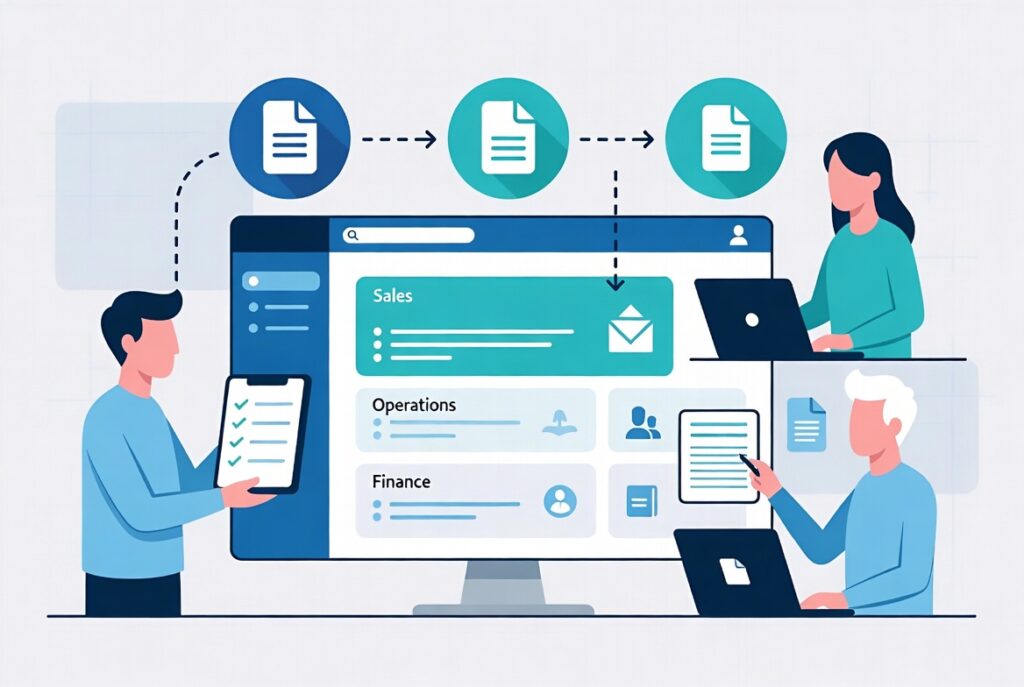
If you disappeared from your business for two weeks, what would happen?
For many small teams, the honest answer is: people would dig through old chats, forward long email threads, and guess. Everyone “kind of” knows how things work—but the real knowledge lives in a few people’s heads.
That’s fine when you’re tiny. It becomes dangerous as soon as you hire, grow, or simply get busy.
The solution isn’t more meetings or longer emails. It’s an internal operations wiki—a single, living space where your processes, policies, checklists, and “how we do things here” actually live.
And in 2026, building that wiki doesn’t have to be a huge documentation project. With a bit of structure and smart use of AI, you can turn your scattered knowledge into a usable, searchable hub in a fraction of the time.
Why Your Small Business Needs an Internal Knowledge Base
An internal knowledge base (or operations wiki) is simply:
One organized place where your team can find answers about how the business runs.
Done well, it helps you:
- Onboard new hires faster (without repeating yourself endlessly)
- Reduce mistakes caused by “I thought we did it this way…”
- Free the founder or manager from being the walking FAQ
- Make process improvements visible to everyone, not just one person
The problem has never been knowing that this is useful—the problem is finding the time to create it. That’s exactly where AI becomes a game‑changer: it can do most of the writing and structuring, while you provide the real‑world knowledge.
Step 1: Decide What Belongs in Your Wiki (Start Small)
You don’t need to document everything to get value. Start with the areas where confusion hurts the most, such as:
- How we get clients: lead capture, qualification, proposals, follow‑up
- How we serve clients: onboarding, delivery steps, updates, offboarding
- How we run the back office: invoicing, payments, expenses, basic HR
Make a simple list of “things people keep asking about” or “things that break when I’m not watching.” Those are your first wiki pages.
Example starting topics:
- “How to create and send an invoice”
- “Our standard client onboarding workflow”
- “How to log expenses and reimbursements”
- “How we handle support requests”
You’re not building an encyclopedia. You’re building a toolbox your team will actually use.
Step 2: Choose a Simple Home for Your Knowledge
Your operations wiki needs to be:
- Easy to access
- Easy to search
- Easy to update
For most small businesses, good options include:
- Notion (very popular for internal wikis)
- Confluence, Coda, or similar tools
- Google Sites or a well‑organized Google Drive folder
Create a simple top‑level structure, such as:
- Sales & Marketing
- Client Delivery
- Support & Success
- Finance & Admin
- People & Policies
Don’t overthink the design at first. The most important thing is to start putting content into one shared place.
Step 3: Use AI to Turn Messy Knowledge Into Clean Pages
Now comes the part that usually stops people: “I don’t have time to sit and write all this.”
You don’t need to. Instead, let AI do most of the writing for you.
For each topic:
- Record a quick voice note or write a rough bullet list of how you do it.
- Paste that transcript or bullets into an AI tool.
- Ask it to turn your notes into a clear, structured page with:
- Purpose (why this process exists)
- When to use it (triggers)
- Who is responsible
- Step‑by‑step instructions
- Links to templates or tools
In a few seconds, you move from messy thoughts to something 70–80% ready.
Then you or a team member can:
- Correct details
- Add screenshots or links
- Simplify wording to match your style
Repeat this a few times a week, and your wiki will grow much faster than if you tried to “sit down and write it all” from scratch.
Step 4: Add Templates, Checklists, and Examples
Great internal knowledge doesn’t just say “what” and “why”—it gives people ready‑to‑use pieces.
For each important process, consider adding:
- Downloadable or copy‑pasteable templates (emails, documents, messages)
- Checklists for recurring tasks (onboarding steps, reporting steps, QA checks)
- Examples of “good” work (past reports, proposals, or responses—redacted if needed)
Again, AI can help generate the first versions:
- Turn your standard replies into email templates
- Turn long SOPs into short checklists for daily use
- Turn a strong past deliverable into a generic template you can reuse
The more your wiki contains practical, ready‑to‑use assets, the more your team will actually consult it.
Step 5: Make the Wiki Part of How You Work
An operations wiki only works if it’s used.
That means:
- During onboarding, new hires get a tour of the wiki first
- When someone asks “How do I…?”, you answer with a link to the relevant page
- When you improve a process, you update the wiki as part of “definition of done”
AI can support adoption by:
- Helping people search: paste a question + wiki content into AI and ask “which page answers this?”
- Summarizing long pages into quick reference versions
- Suggesting where a new insight or idea belongs in your current structure
Over time, your wiki becomes the first place people look—saving you from being the human search engine.
Step 6: Keep It Alive With Reviews and Improvements
A dead wiki is worse than no wiki. The goal is not to create perfect pages once—it’s to keep them roughly correct and useful.
Every month or quarter, pick a small area (e.g., “Sales & Marketing” or “Client Delivery”) and ask:
- What’s out of date?
- What’s missing?
- What do people still ask about that isn’t documented well?
Ask team members to propose changes, then use AI to:
- Merge old and new information into a single, clean page
- Simplify text and remove contradictions
- Generate updated checklists and templates
This way, your operations wiki evolves alongside your business—instead of becoming a forgotten folder full of old PDFs.
How a Structured Toolkit Makes Building Your Wiki Much Easier
All of this is possible using generic AI tools and a blank Notion space. But in practice, many teams stall because they don’t know:
- Which processes to document first (and which can wait)
- How to structure pages so they’re actually useful
- What prompts to use so AI produces clean, actionable documentation
- How to connect the wiki to their dashboards, SOPs, and weekly reviews
That’s where having a focused, systems‑oriented toolkit changes the game: instead of guessing at structure and prompts, you start from battle‑tested patterns.
Build Your Operations Wiki Faster With AI‑Ready Business Systems Toolkit 2025
The AI‑Ready Business Systems Toolkit 2025 from Analytics Need is designed for small businesses that want to turn scattered knowledge into clear, AI‑assisted systems—including a practical internal operations wiki.
For your knowledge base specifically, the toolkit helps you:
- Identify and prioritize what to document
- Checklists to choose your first high‑impact pages (sales, delivery, admin, support)
- Frameworks for turning “things people ask constantly” into a documentation roadmap
- Structure your wiki from day one
- Suggested top‑level categories and page templates for operations, finance, people, and more
- Standard layouts for process pages, FAQs, and how‑to guides
- Use AI to write and refine your pages
- Ready‑made prompts to turn voice notes or bullet lists into full SOPs and wiki pages
- Prompts to generate checklists, templates, and quick‑reference summaries from longer docs
- Connect your wiki to your broader systems
- Guides for linking pages to your dashboards, weekly reviews, and training flows
- Ways to use support tickets and questions as inputs for continuous wiki improvements
- Monitor and improve over time
- Simple metrics and review cycles to keep your wiki alive and relevant
- AI prompts that summarize feedback and suggest which pages to update next
Instead of treating documentation as a giant, painful project, you’ll treat it as a series of small, AI‑supported steps—guided by clear structures and real‑world systems experience.
If you want 2026 to be the year your business stops depending on one or two people’s memory, the AI‑Ready Business Systems Toolkit 2025 gives you everything you need to build an operations wiki that your team can trust, use, and improve together.